The Doro 2404 is a flip phone designed for simple use: calls, SMS, large buttons. It accepts two SIM card slots, but not all formats and plans are compatible. The physical format of the card, network compatibility, and the durability of the chosen plan determine the long-term functionality of the device.
2G Network Compatibility of the Doro 2404: A Constraint to Check First
The Doro 2404 operates exclusively on the 2G (GSM) network. It does not support 3G or 4G. This technical limitation often goes unnoticed at the time of purchase, but it has direct consequences on the choice of operator and plan.
Read also : How to Choose the Right Equipment to Improve Your Home Life
Several French operators have publicly announced plans for the gradual phase-out of the 2G network. Orange and SFR are among those who have communicated this timeline. Before subscribing to a plan, it is essential to check that the operator maintains active 2G coverage in the geographical area where the phone will be used.
A plan labeled “4G” or “5G” generally includes access to previous networks, including 2G. The provided SIM card will work in the Doro 2404 for calls and SMS. However, the longevity of this 2G access varies by operator, and a plan subscribed to today could lose its coverage in certain areas within a few years.
Recommended read : How to Write a Captivating Introduction for Your Blog in 2024
To properly choose a SIM card for the Doro 2404, this verification of the 2G network is the very first step, even before considering the physical format or the price of the plan.
SIM Card Format for the Doro 2404: Mini-SIM and Adapters
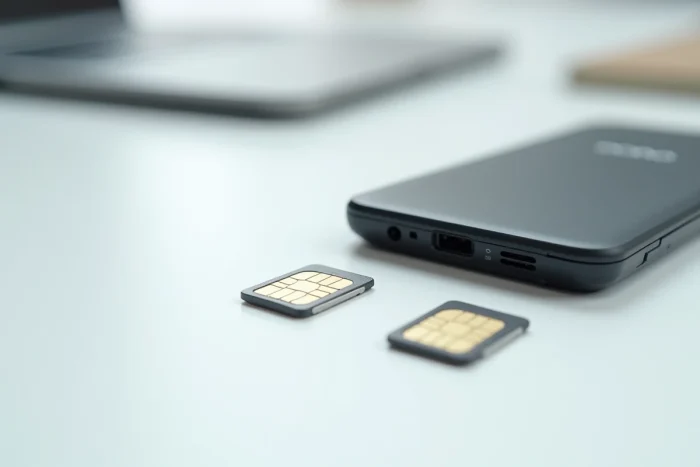
The Doro 2404 uses slots designed for mini-SIM cards (the standard format, the largest of the three common sizes). Most recent smartphones use nano-SIMs, the smallest format. If the SIM card comes from a recent phone, it will likely be too small for the Doro 2404.
Using an Adapter Without Damaging the SIM Reader
Inserting a nano-SIM into a mini-SIM slot without an adapter risks getting it stuck or making it impossible to remove. Recent Doro manuals explicitly recommend using a certified SIM card adapter when the SIM is smaller than the intended slot.
Low-quality adapters, often sold in packs for a few cents, pose a real risk. A plastic that is too thick or poorly fitted can block the card in the reader or damage the contact pins. Customer service reports (Darty, operator forums) frequently mention this type of failure on classic Doro phones.
- Ensure that the adapter holds the nano-SIM securely, with no lateral play, before inserting it into the phone.
- Prefer an adapter sold by the operator or a recognized brand, with a thin frame and precise cutouts.
- Never force the insertion: if the card resists, remove it and check the alignment of the adapter with the guides of the SIM compartment.
Request a Card in the Correct Format Directly from the Operator
The most reliable solution is to ask the operator for a mini-SIM card. Most French operators provide triple-cut cards (mini, micro, nano). Just avoid detaching the smallest template and keep the complete frame.
If the card has already been cut to nano format, a SIM replacement can be ordered in-store or online. The cost is generally modest.
Plan Suitable for Senior Phones: What Really Matters
The Doro 2404 does not connect to the internet. No web browsing, no apps, no instant messaging. Therefore, a plan with a mobile data allowance is of no use on this device.

Calls and SMS as a Priority
A plan focused on voice calls and SMS matches the usage profile of the Doro 2404. Several operators offer low-cost plans with unlimited calls and unlimited SMS, without a data allowance or with a minimal unused volume.
- No-commitment offers allow changing operators if local 2G coverage deteriorates.
- Blocked plans prevent unintentional overages, a reassuring point for a senior user.
- Prepaid offers remain an option for very occasional use, but beware of credit expiration dates.
Dual SIM: Limited but Convenient Use
The Doro 2404 has two SIM slots. This feature allows, for example, using a primary SIM for daily calls and a second for travel abroad or to separate personal use from family use. Both slots accept the same mini-SIM format, and the same precautions apply to each.
SIM Recognition Issues After Card Change
Customer service forums and operator support communities report an increase in cases of SIM non-recognition on classic Doro phones after replacing an old card with a recent version, particularly 5G-labeled SIMs. The phone then displays “No SIM” or “Invalid SIM” despite correct insertion.
This problem often arises from a physical contact issue between the chip and the reader pins, exacerbated by the use of an unsuitable adapter. In some cases, the recent SIM card works perfectly in a smartphone but refuses to initialize in the Doro 2404.
Before concluding a hardware failure, it is useful to test the SIM card in the other slot of the phone, clean the gold contacts with a dry cloth, and check that the adapter (if applicable) is properly positioned. If the problem persists, visiting the operator’s store allows testing with another SIM card and isolating the source of the malfunction.
The Doro 2404 remains a reliable phone for calls and SMS, provided that the SIM card is in the correct format and that the operator maintains its 2G network. Checking local 2G coverage before any plan purchase avoids the unpleasant surprise of a silent phone a few months after it is put into service.